
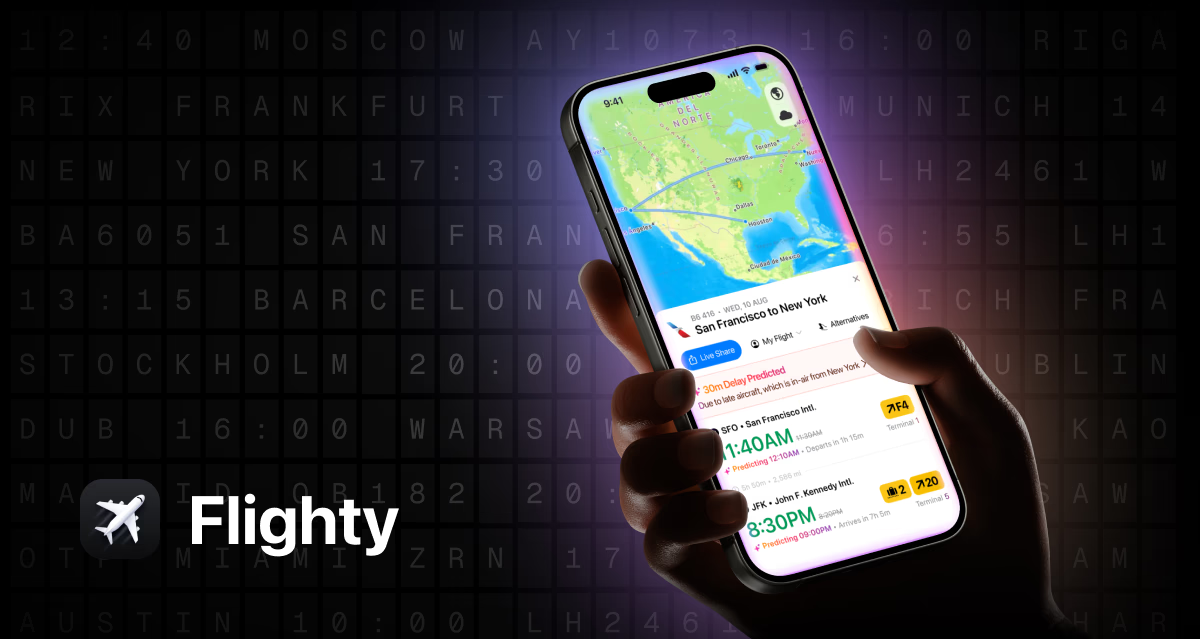
I’ve tried every flight tracking app on the market. Most of them are fine. They tell you your gate. They send you a push notification when your flight is delayed — usually about 10 minutes after the airline’s own app.
Flighty Pro is different. It told me about a 55-minute delay while the gate screen still showed “On Time.” That single alert saved me from sprinting through ATL to make a connection that wasn’t happening. Instead, I calmly rebooked at the lounge.
That’s the difference between an app that tracks flights and an app that predicts them. Here’s why Flighty Pro has earned permanent real estate on my home screen.
What It Actually Does That Other Apps Don’t
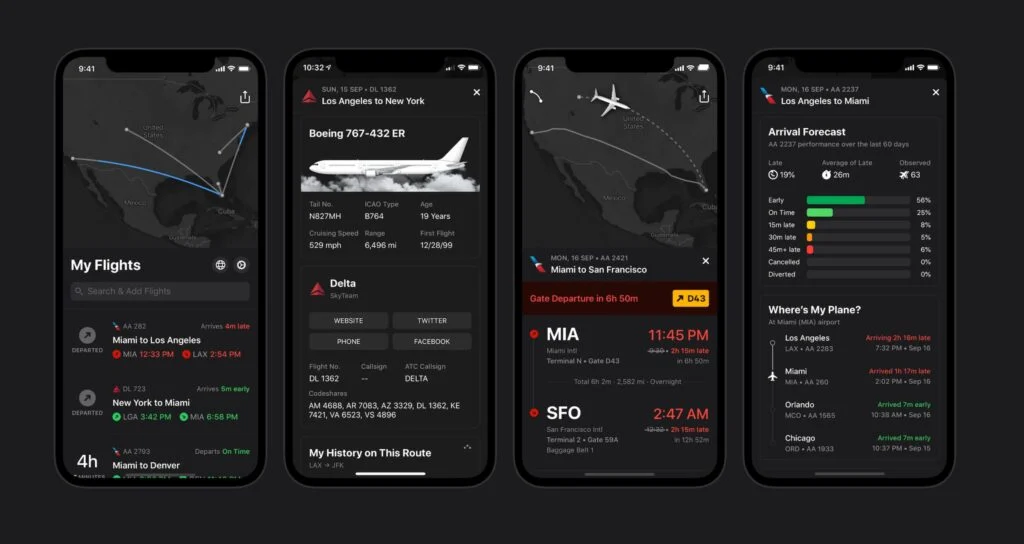
Flighty Pro tracks your inbound aircraft — the physical plane that will become your flight — up to 25 hours before departure. This is the key differentiator. Most delays don’t originate at your gate. They originate wherever your plane currently is. If your plane is sitting on the tarmac in Chicago with a mechanical issue, Flighty knows about it hours before it shows up as a delay on the departure board.
The app uses predictive machine learning models trained on FAA data, weather patterns, and historical delay information to flag potential problems before they’re officially announced. It’s not always right — no prediction model is — but it’s right often enough that I now trust it more than the airline’s own status updates.
The real-time aircraft tracking is addictively useful. You can watch your plane flying toward your airport, see its current position, and estimate when it’ll arrive. When you’re sitting at a gate watching a blank departure screen, knowing your plane is 45 minutes out gives you actionable information. Go get food. Don’t go get food. That’s a quality-of-life improvement.
The Features That Matter for Frequent Travelers
Live activity integration on iPhone is seamless. Your flight status sits on your lock screen and dynamic island, updating in real time. Gate changes, delay updates, and boarding alerts all appear without opening the app. This alone makes Flighty worth it — I stopped opening the airline app entirely for status checks.
The delay timeline shows you a visual history of how your flight’s estimated departure has shifted over time. This is surprisingly useful for pattern recognition. If a flight has been slowly creeping later in 5-minute increments over three hours, that’s a very different signal than a sudden 90-minute delay. The former suggests a cascading problem that might get worse. The latter might be a fixed issue with a predictable resolution.
Multi-trip management lets you store entire itineraries — outbound, connections, returns — in one view. I travel with complex multi-leg itineraries, and having everything in a single timeline rather than spread across three airline apps is a meaningful organizational win.
What It Costs and Whether It’s Worth It
Flighty Pro runs $49.99 per year. That’s more than most travel apps charge. It’s also less than one checked bag fee on most domestic airlines.
If you fly 4+ times per year, the math works easily. One avoided missed connection, one proactive rebooking, one less hour spent anxiously refreshing an airline app — any of these justifies the annual cost.
If you fly once or twice a year, the free version of Flighty (or a basic tracker like FlightAware) is probably sufficient. The Pro features shine for frequent travelers who need reliability and advance warning, not casual vacationers.
The Bottom Line
Flighty Pro doesn’t make flying better. Nothing can do that. But it makes the information asymmetry between you and the airline disappear. You know what they know — often before they tell you. That shifts the power dynamic in your favor and gives you time to make decisions instead of react to announcements.
In a travel tech landscape full of incremental improvements, Flighty Pro is a genuine category leader. Download it before your next trip. You’ll wonder how you managed without it.