
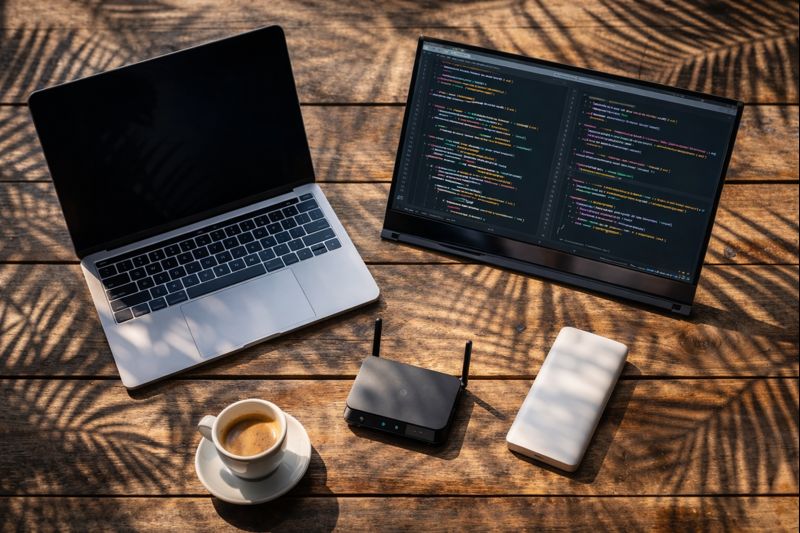
The Reality of Remote Work: Instagram shows a laptop on a beach hammock. The reality? Glare on the screen, sand in the keyboard, and 0.5 Mbps WiFi that drops every time the wind blows. Professional digital nomads know that “working from anywhere” is an engineering challenge. You are your own IT department. If the power goes out in Bali or the internet throttles in Lisbon, your client doesn’t care—they just want the deliverable.
Building a reliable Digital Nomad Tech Stack isn’t about buying the most expensive gear; it’s about redundancy, efficiency, and weight management. Every ounce in your backpack must earn its rent.
In 2026, the technology has shifted. We have moved from bulky power bricks to credit-card-sized GaN chargers. We have portable monitors that are brighter than your MacBook Pro screen, and satellite internet that fits in a backpack. This guide covers the essential gear list you need to turn any Airbnb, cafe, or airport lounge into a Fortune 500 office.
Part 1: The Visual Estate (Portable Monitors)
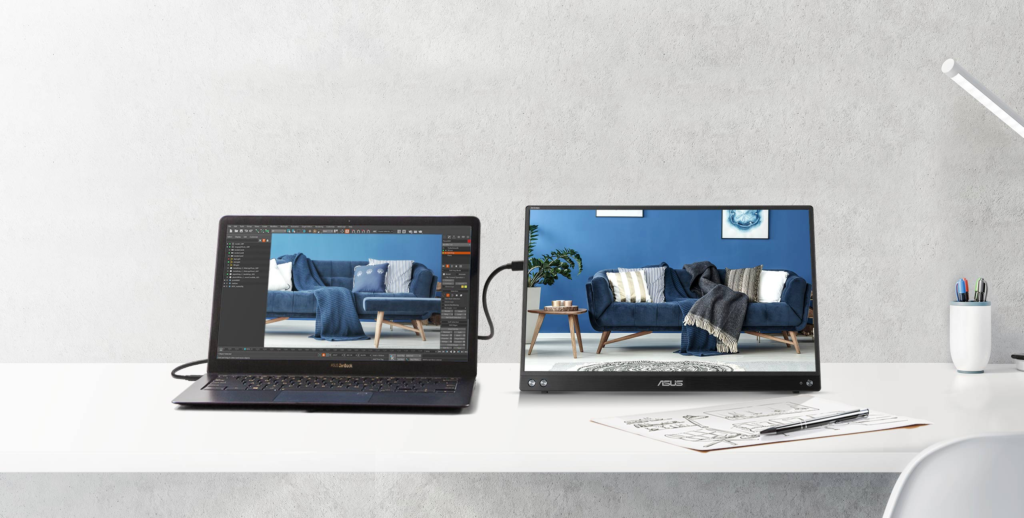
The single biggest productivity killer for nomads is the loss of screen real estate. Moving from a dual-monitor office setup to a single 13-inch laptop screen can cut your coding or writing speed by 30%.
The Criteria for Travel Monitors:
1. Single Cable: It must run power and video over one USB-C cable. No power bricks allowed.
2. Brightness (Nits): Most cheap screens are 200 nits (dim). You need 300+ nits to work near windows.
3. Durability: It will be crushed in your bag. A flimsy plastic kickstand won’t survive.
The Industry Standard: ASUS ZenScreen OLED
ASUS invented this category, and they still rule it. The ZenScreen OLED offers perfect blacks and incredible color accuracy for designers. It is razor-thin and comes with a smart folio case that doubles as a stand.
• Resolution: 1080p or 4K OLED options
• Connectivity: Dual USB-C / Mini HDMI
• Weight: Under 2 lbs
The Productivity Beast: LG Gram +view
This monitor has a secret weapon: 16:10 aspect ratio. It gives you more vertical space than standard widescreen monitors, which is crucial for coding, spreadsheets, and writing. It is incredibly lightweight and matches the aesthetic of modern ultrabooks. Check Price on Amazon
Part 2: Ergonomics (Preventing “Tech Neck”)
Working from a laptop looking down destroys your neck. It’s physics. The average human head weighs 11lbs; looking down at a screen increases the load on your spine to 60lbs. Long-term nomads need a portable desktop feel to survive.
The Foundation: Roost Laptop Stand V3
The Roost is legend for a reason. It weighs 6 ounces, collapses into a wand, and raises your screen to eye level. It is virtually indestructible. Do not buy the cheap knockoffs; they wobble when you type. The Roost is rock solid. Check Price on Amazon
The Keyboard: NuPhy Air75 v2
A low-profile mechanical keyboard that sits directly on top of your laptop keyboard (bridging the built-in keyboard) or on the desk. It has a massive 4000mAh battery that lasts for weeks, unlike its competitor the Keychron K3 Max. Check Price on Amazon
Part 3: Power Management (The GaN Revolution)
In the past, high power meant heavy bricks. Enter GaN (Gallium Nitride). This semiconductor material conducts electrons more efficiently than silicon, allowing chargers to be 50% smaller while running cooler.
1. The “One Charger to Rule Them All”
You should carry exactly one wall charger. It needs at least 3 ports (2 USB-C, 1 USB-A) and enough wattage to charge your laptop and phone simultaneously.
Anker Prime 100W GaN Charger
This plug is smaller than a deck of cards but pumps out 100W. It can fast-charge a MacBook Pro from 0% to 50% in 30 minutes while also charging your iPhone. The folding prongs make it packable without scratching your other gear. Check Price on Amazon
2. The Universal Adapter
MOGICS Super Bagel / Travel Strip
This is a cult favorite among nomads. It is a circular power strip that allows you to plug in 5 devices (even big chunky plugs) without them blocking each other. It includes a universal adapter core. It solves the “only one outlet in the hotel room” problem. Check Price on Amazon
3. The Emergency Reserve (Power Banks)
When you are on a 14-hour bus ride in South America, your laptop battery will die. You need a power bank that outputs Power Delivery (PD) at high voltage.
Anker 737 Power Bank (PowerCore 24K)
Known as “The Brick.” It has a smart digital screen showing you exactly how much power is going in and out. It puts out 140W—enough to fully power a professional laptop, not just a phone. It is airline safe (under 100Wh) and serves as the perfect power source for the Starlink Mini (see below). Check Price on Amazon
Part 4: Connectivity (Routers & Satellites)
Never trust Airbnb Wi-Fi. It is the golden rule. You need a way to secure, extend, and backup your internet connection.
Level 1: The Travel Router
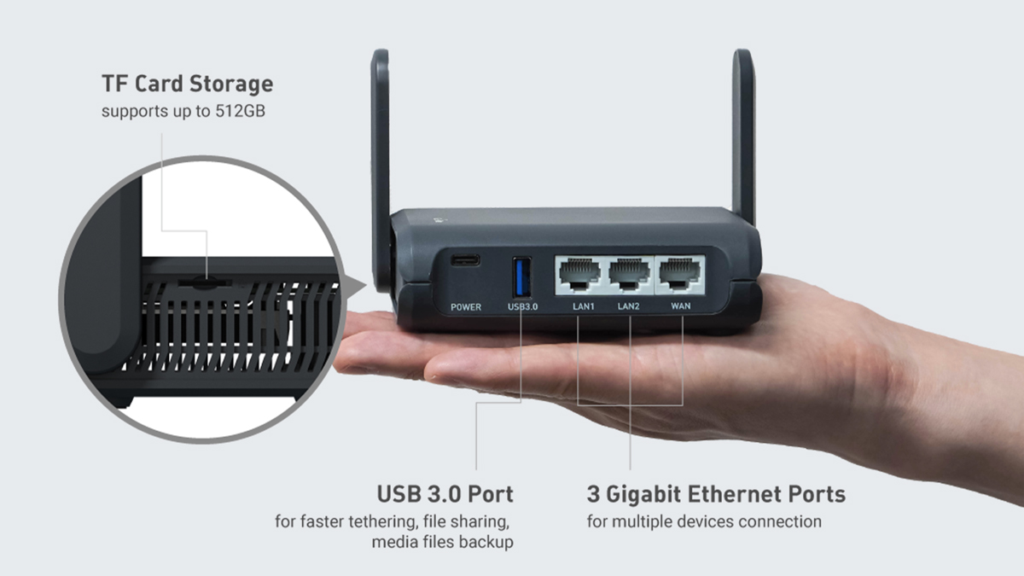
GL.iNet GL-AXT1800 (Slate AX) Pocket Router
This is the swiss-army knife of networking. It supports Wi-Fi 6, runs OpenWRT (highly customizable), and has built-in support for WireGuard/OpenVPN. It can also “tether” to your phone via USB to share your 5G connection to your laptop, bypassing hotspot limits on some carriers. Check Price on Amazon
Level 2: Off-Grid Independence (Starlink)
The game changer for 2026 is the Starlink Mini. For “VanLife” nomads or those heading to remote islands, this is non-negotiable.
Starlink Mini (Backpack Edition)
Weighing under 2.5 lbs, this fits easily in a backpack. Crucially, it runs on DC power via USB-C (requiring 100W). This means you can run your internet directly off the Anker 737 Power Bank for hours without needing a wall outlet.
Part 5: The “Invisible” Stack (Software & Security)
Hardware gets stolen. Software saves you. This is the layer that protects your bank account and your job.
1. Internet Bonding (Speedify)
If the hotel Wi-Fi is shaky, Speedify is a VPN app that combines your Wi-Fi and your Phone’s 4G connection into one super-pipe. If the Wi-Fi drops, the call stays live on 4G instantly. It is essential for Zoom.
2. Hardware Security Keys
SMS 2-Factor Authentication is not secure. Sim-swapping is common. Use a YubiKey 5C NFC. It is a physical key you plug into your USB-C port to log into Gmail or Binance. No key = no access. Get YubiKey
Part 6: Audio & Cables
Coworking spaces are loud. Active Noise Cancellation (ANC) is not a luxury; it is a sanity tool.
Sony WH-1000XM5
Sony’s ANC algorithm is currently unmatched. It deletes low-frequency drone (airplane engines) and does a surprisingly good job at muting human voices. The microphone quality for Zoom calls is excellent. Check Price on Amazon
Anker 555 USB-C Hub (8-in-1)
When buying a hub, look for Pass-Through Charging. This allows you to plug your laptop charger into the hub, and the hub into the laptop, saving a port. The Anker 555 includes HDMI (4K 60Hz), Ethernet, and SD slots. Check Price on Amazon
Part 7: The “Oh Sh*t” Plan (Insurance & Logistics)
What happens when the backpack vanishes? Standard travel insurance often caps electronics payouts at $500 per item. That won’t cover your MacBook.
- Nomad Insurance: Look for SafetyWing Nomad Insurance 2.0 or Genki. Specifically check for the Electronics Theft Add-on. This boosts coverage to ~$2,000+ per item.
- Tracking: Place an AirTag (with the speaker removed so it doesn’t beep) deep inside the lining of your backpack. Do not put it in a pocket where a thief can find it.
Comparison: The Cafe Setup vs. The Base Station
| Gear Item | Cafe Setup (Light) | Base Station (Heavy) |
|---|---|---|
| Computer | Laptop Only | Laptop + Roost Stand + NuPhy Keyboard |
| Screen | Laptop Screen | Portable Monitor (Vertical Mode) |
| Internet | Phone Hotspot | Starlink Mini / GL.iNet Router |
| Power | 100W Wall Charger | Anker 737 Battery Backup |
Digital Nomad Tech Frequently Asked Questions
Can I bring the Anker 737 Power Bank on a plane?
Yes. The Anker 737 is 86.4Wh. The FAA and international limit is 100Wh for carry-on luggage. It is perfectly legal. Do I need a voltage converter?
No. All modern electronics (MacBooks, GaN chargers) are “Dual Voltage” (110V-240V). You only need a plug adapter (to change the shape), not a converter (to change the power). Does Starlink Mini work everywhere?
It works on any continent where Starlink has coverage, but you must pay for the “Roam” subscription plan. It does not work indoors; it needs a clear view of the sky.
Final Verdict
The difference between a “backpacker with a laptop” and a “digital nomad” is preparedness. When the power cuts out 10 minutes before a deadline, the backpacker panics. The nomad calmly plugs into their Anker 737, tethers to their GL.iNet Router, and keeps working. Invest in the infrastructure of your freedom.
For other digital nomad tech, check out our other reviews.