
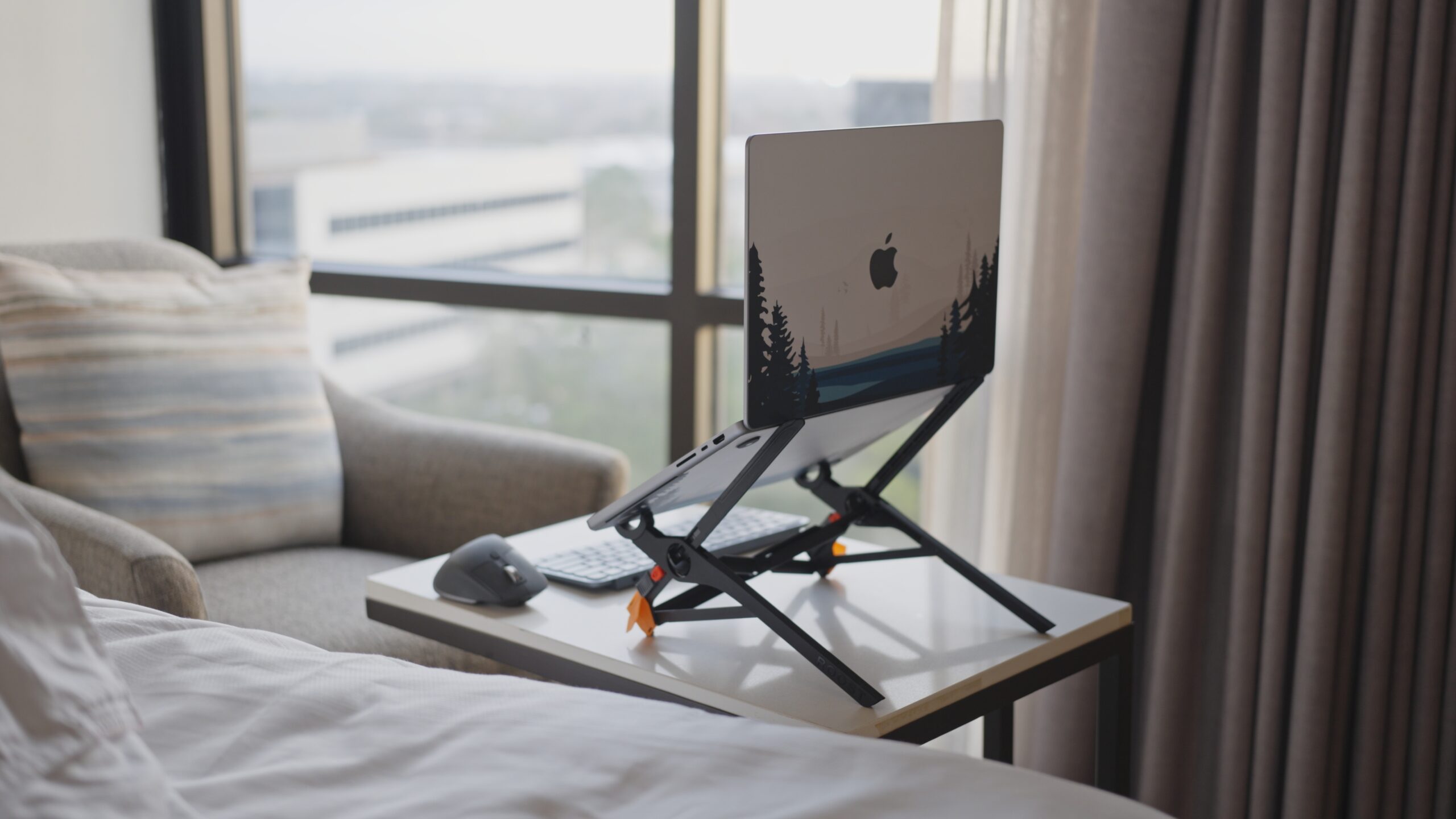
Check Price on Amazon: Roost Laptop Stand V3
If you have ever spent a week working from a hotel desk, you know the feeling. The “tech neck.” The burning sensation between your shoulder blades. The inevitable fatigue that sets in after hunching over a 14-inch screen for eight hours.
As someone who splits their time between a finely tuned home office and a chaotic schedule of Delta lounges and Marriott desks, I stopped compromising on ergonomics years ago. If I can’t work comfortably, I can’t work efficiently.
Enter the Roost Laptop Stand V3. It is widely regarded as the gold standard for digital nomads and traveling professionals. But at nearly $90 for a piece of plastic, is it actually worth the hype?
Here is my in-depth review after logging thousands of miles with this device.
Specs & Features
The Roost V3 is deceptive. When you first unbox it, it feels impossibly light—almost like a toy. But the engineering here is serious.
- Weight: 5.8 oz (164 g) – Lighter than most smartphones.
- Folded Dimensions: 1.3″ x 1.3″ x 13″
- Material: Glass-fiber reinforced nylon (extremely rigid and durable).
- Height Adjustability: 6 to 14 inches of lift (7 distinct height settings).
- Compatibility: Fits almost all laptops with a front chassis thinner than 0.75 inches (including all MacBook Pros and Airs).
- Origin: Designed and manufactured in Colorado, USA.
The Good, The Bad, and The Spindly
At first glance, the Roost looks like a gadget you’d find in a SkyMall catalog. It is incredibly light, looks a bit spindly, and costs nearly a hundred dollars. You pick it up and think, “I paid how much for this?”
But the moment you deploy it on a wobbly café table—whether you’re in a Lisbon coffee shop or a Delta Sky Club—the genius of the design clicks into place. It stops being a piece of plastic and starts feeling like a piece of aerospace engineering. It is not perfect, but it is purposeful.
Here is the breakdown of why it earns a permanent spot in my bag, and the few trade-offs that might make you pause.
Where It Shines (Pros)
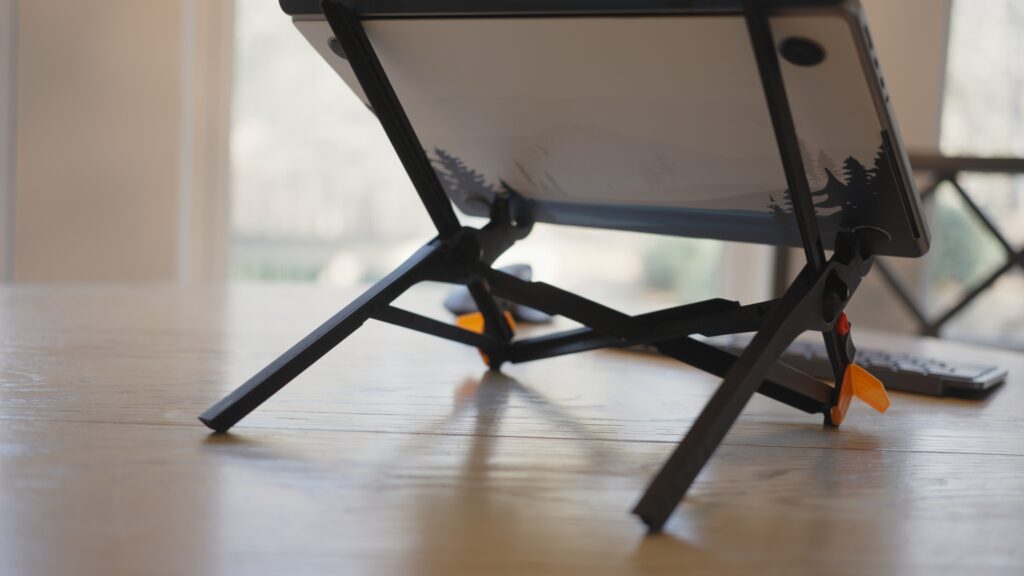
- Featherweight Champion: It defies physics. At 5.8 ounces, it weighs less than your smartphone but holds a 16-inch MacBook Pro M2 Max with absolute authority. There is zero “creep” or sag.
- Thermal Performance: By suspending the laptop by the front chassis, the Roost exposes 100% of the bottom case to airflow. If you render video or run heavy code, this passively cools your machine better than most powered cooling pads.
- The 2-Second Deployment: There are no screws to tighten or latches to fumble with. You pull the tabs, and it pops open. You close it, and it collapses. It is faster than opening the laptop itself.
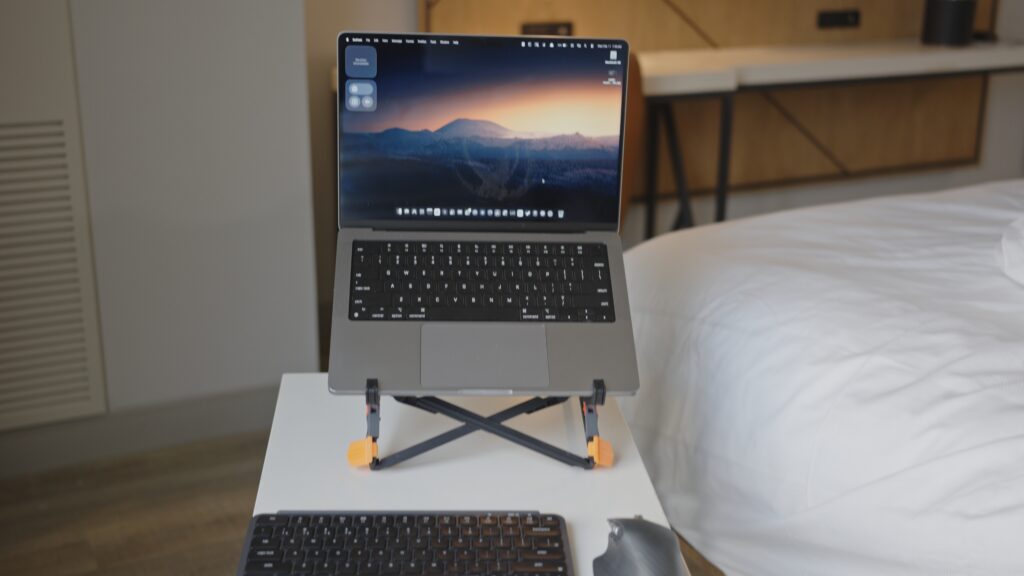
- True Ergonomics: Most stands just tilt your laptop. The Roost elevates it. It pushes the top of your screen up to 14 inches, creating a true eye-level monitor experience that saves your neck from the dreaded “turtle hunch.”
The Trade-Offs (Cons)
- The Sticker Shock: Let’s be real—$90 is steep for a laptop stand. You are paying for the patent and the materials, not the complexity.
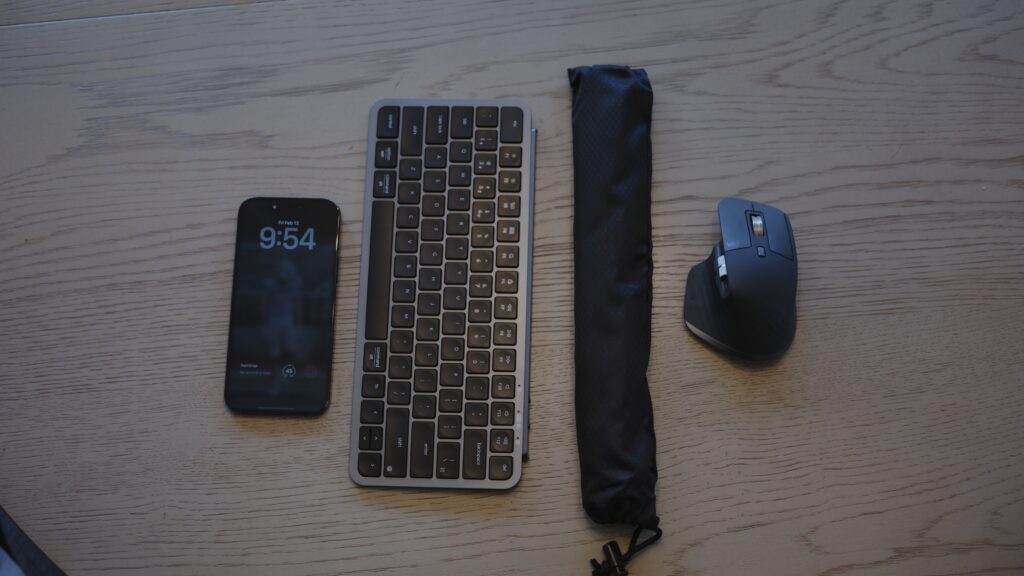
- The “Dongle Life” Requirement: This is not a standalone solution. Because the laptop is suspended in the air, you cannot type on it without the entire setup bouncing. You must carry an external keyboard and mouse to use this effectively.
- Strictly For Tables: This is not a lap desk. It requires a stable, flat surface to work. If you are trying to work from a sofa or a tiny airplane tray table, the Roost stays in the bag.
Traveling with the Roost
This is where the Roost separates itself from every other stand on Amazon.
Packing: Because it collapses into a long, thin stick (about the size of a folded umbrella), it disappears into a bag. I slide mine into the water bottle pocket of my backpack or the thin gap between my packing cubes. Unlike flat-folding metal stands (like the mStand), the Roost takes up virtually zero usable volume.
Durability: I have thrown my backpack into overhead bins, under seats, and into trunks. The glass-filled nylon construction is flexible enough to absorb impact but rigid enough to never bend. I’ve had mine for years, and the hinges are as snappy as day one.
Who is this for?
- The Power User: If you run high-intensity workflows (video editing, coding, massive spreadsheets) and need your laptop to stay cool.
- The Frequent Flyer: If every ounce in your one-bag setup matters.
- The Tall Traveler: If you are over 6 feet tall, most stands are too short. The Roost goes high enough to actually meet your eye line.
Who is this NOT for?
- The “Laptop Only” User: If you refuse to carry a Bluetooth keyboard and mouse, this product is useless to you.
- The Lap Worker: This is strictly for desks and tables.
- The Budget Conscious: If you travel once a year, a $30 knockoff will suffice.
Comparison: Roost vs. The Competition
There are really only three players in the “ultra-portable” laptop stand game: The Roost V3, the budget-friendly Nexstand K2, and the flat-folding MOFT Z.
Here is how the specs stack up.
What the Roost does better
- Build Quality & Grip: The difference is immediately noticeable in the hands. The Roost uses soft, high-friction rubber on the pivoting grips that “lock” your laptop into place. You can actually tilt the stand sideways, and the laptop won’t slide out. The Nexstand uses harder, slicker plastic that feels precarious with an expensive machine.
- Precision Engineering: The Roost has zero “play” in the joints. When you type (even though you shouldn’t type directly on it), it absorbs the shock. The Nexstand and MOFT Z tend to bounce or rattle, which makes the whole setup feel cheap.
- Profile: While the Nexstand looks similar, it is significantly bulkier when folded. The Roost is the only one that truly disappears into the “dead space” of a backpack.
What it does NOT do as well
- Versatility (vs. MOFT): The MOFT Z folds into a flat sheet, which means it can double as a lap desk or a writing surface for a notepad. The Roost is a “one-trick pony”—it only does one thing, even if it does that one thing perfectly.
- Price: There is no getting around it—the Roost is expensive. The Nexstand K2 offers about 90% of the functionality for 33% of the price. If you are on a strict budget, willing to carry a little extra bulk, and don’t mind a “plasticky” feel, the Nexstand is objectively a better value proposition.
FAQ
Q: Is it stable enough to type on the laptop keyboard? A: No. The laptop will bounce, and your arms will be at an awkward angle. You need an external keyboard (I recommend the Keychron B1 Pro) and mouse.
Q: Will it scratch my laptop? A: No. All contact points are rubberized.
Q: Does it fit the new thick gaming laptops? A: As long as the front edge (where your wrists usually rest) is less than 0.75 inches thick, it fits. It handles heavy weights easily, but the thickness of the chassis is the limiting factor.
Final Verdict: Is the Roost Worth $90?
Let’s address the elephant in the room one last time: $90 is a lot of money for a laptop stand. You can find knockoffs for a third of the price, and you can stack books for free.
But after years of travel, I have learned that your gear is an investment in your capacity to produce.
The Roost Laptop Stand V3 isn’t just a piece of plastic; it is an insurance policy for your spine. If you spend just two weeks a year working from the road, the cost of this stand is already less than a single session with a chiropractor or physical therapist. The math is simple: What is your neck worth?
Beyond the health benefits, there is the reliability factor. I have seen cheaper stands snap in cold weather or lose their grip after a few months of heavy use. The Roost is built like a tank but weighs less than a hamster. It has outlasted three of my MacBooks. It is one of the few pieces of “tech” I own that I don’t worry about upgrading, because it is already perfect.
It transforms a cramped hotel desk, a low coffee shop table, or a shared co-working space into a legitimate, ergonomic command center. It gives you the freedom to work anywhere without the penalty of pain.
The Bottom Line: If you are a casual traveler who checks email once a day, skip it. But if you are a professional whose livelihood depends on being productive while mobile, the Roost is non-negotiable. It is the lightest, strongest, and most height-adjustable stand on the market, period.
Buy it once. Use it forever. Your neck will thank you.
Get the Gear
- Check Price on Amazon: Roost Laptop Stand V3