
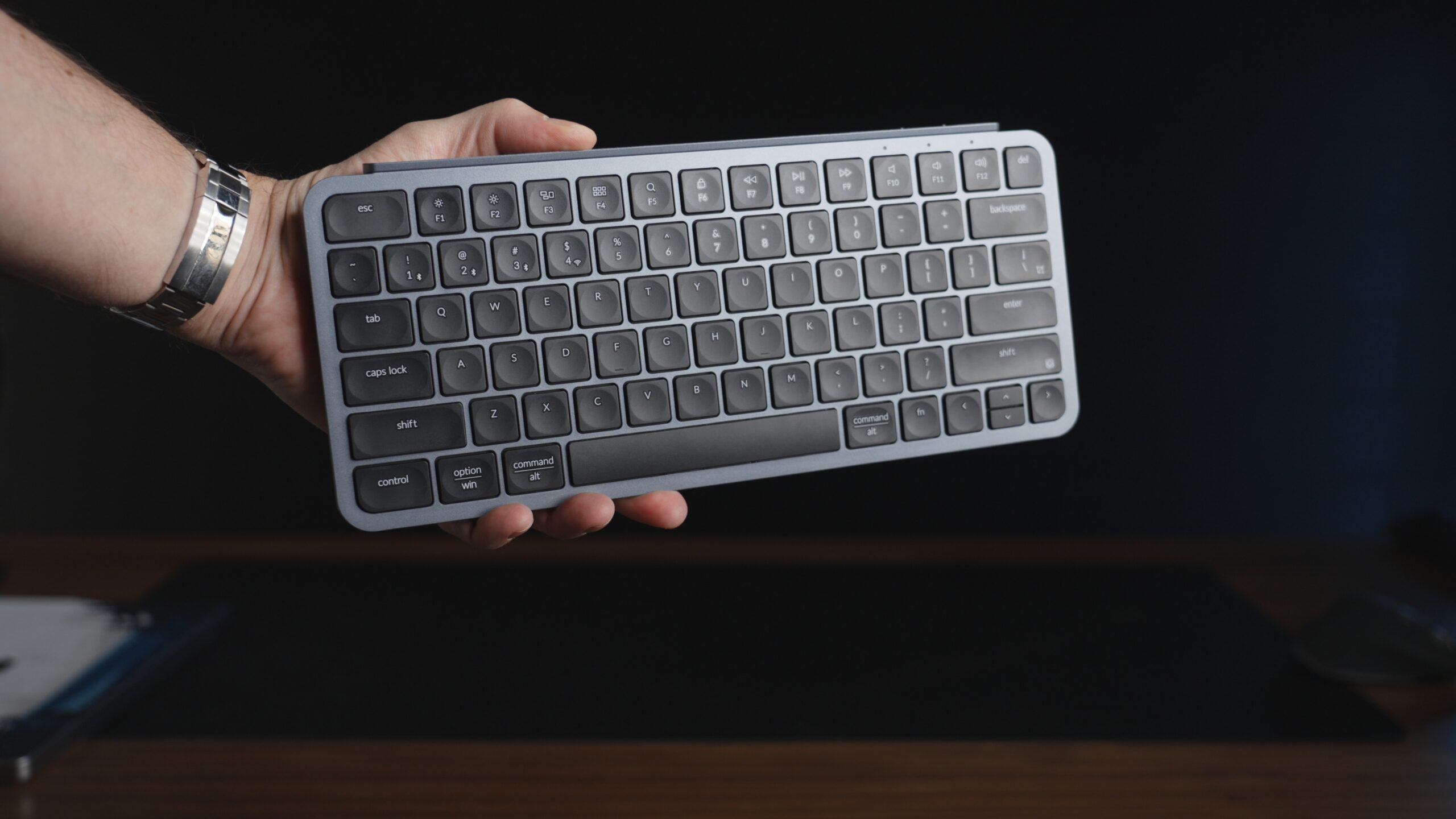
Check Price on Amazon: Keychron B1 Pro
Finding the perfect travel keyboard is a game of frustrating compromises. Mechanical keyboards are satisfying but heavy, thick, and loud enough to get you kicked out of a quiet hotel lobby. The Apple Magic Keyboard is slim and premium but costs a fortune and offers zero customization.
For years, I dragged around bulky mechanical boards because I refused to type on a mushy laptop membrane. Then I found the Keychron B1 Pro.
It is ultra-slim, surprisingly affordable, and packed with “pro” features usually reserved for enthusiast gear. Is it the perfect companion for your Roost Stand?
Here is my in-depth review after putting this silent workhorse through its paces.
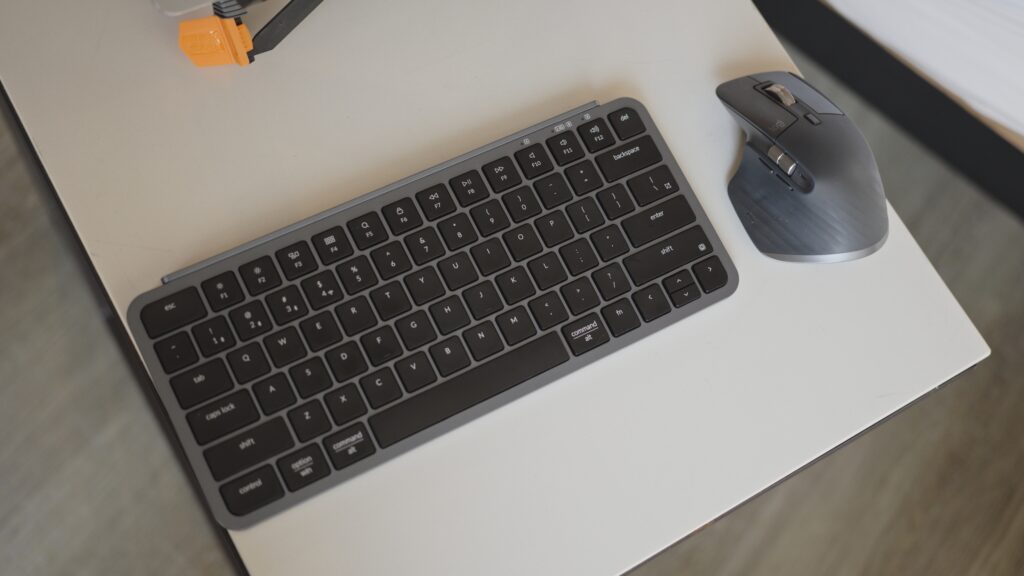
Specs & Features
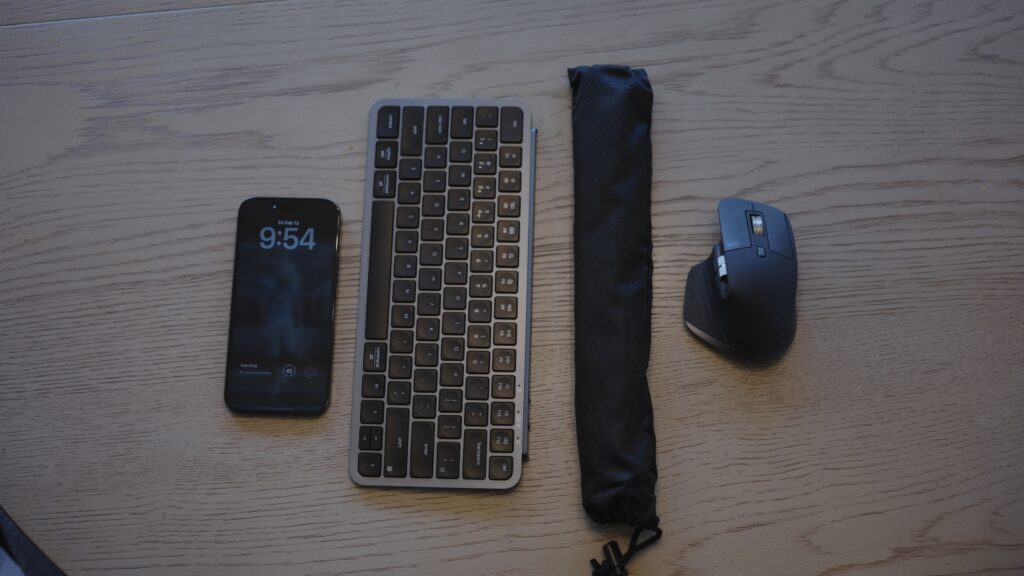
The B1 Pro is designed to disappear in your bag but stand out in your workflow.
- Weight: 0.94 lbs (425 g)
- Dimensions: 11.6″ x 5.1″ x 0.2-0.5″ (Ultra-slim profile)
- Battery Life: Up to 1,200 hours (approx. 8 months of use on a single charge).
- Connectivity: Bluetooth 5.2 (3 devices), 2.4GHz Wireless (1000Hz polling), Wired USB-C.
- Switch Type: Scissor Mechanism (concave keys).
- Customization: ZMK Firmware via Keychron Launcher (Web App).
- Extras: Includes a silicone keyboard cover and 2.4GHz receiver.
The Good, The Bad, and The Silent
At first glance, the B1 Pro looks like a budget knockoff of the Apple Magic Keyboard. But once you start typing, you realize Keychron has done something clever: they took the form factor of a lifestyle keyboard and injected it with the DNA of a developer’s tool.
Where It Shines (Pros)
- The “Impossible” Battery Life: 1,200 hours is not a typo. Because it lacks backlighting, this thing runs on a single charge for months. You can pack it for a round-the-world trip and leave the charging cable at home.
- ZMK Programmability: This is the killer feature. Unlike Logitech or Apple boards, you can remap every single key using a web browser. Want the Caps Lock to be a second “Hyper” key? Need complex macros for coding? You can do it here, and the settings save to the board, so they work on any computer you plug into.
- Tri-Mode Connectivity: Bluetooth is great for your phone, but the included 2.4GHz USB dongle offers instant, lag-free typing on your laptop. Switching between your iPad (BT) and MacBook (Dongle) takes one toggle switch.
- The “Silicone Hack”: Keychron includes a molded silicone cover. I usually throw these away, but for travel, it’s brilliant. Leave it on while the keyboard is in your bag, and it protects the keycaps from popping off or getting scratched.
The Trade-Offs (Cons)
- It’s Not Mechanical: If you are a die-hard mechanical switch purist, this will feel “mushy.” It uses scissor switches (like a laptop). It’s high-quality, tactile scissor, but it’s not a mechanical switch.
- Zero Incline: The board is flat. There are no flip-out feet to adjust the angle. If you like a steep typing angle, you might find this too low profile.
- Build Material: It is plastic. High-grade ABS, but plastic nonetheless. It doesn’t have the cold, premium aluminum feel of an Apple Magic Keyboard.
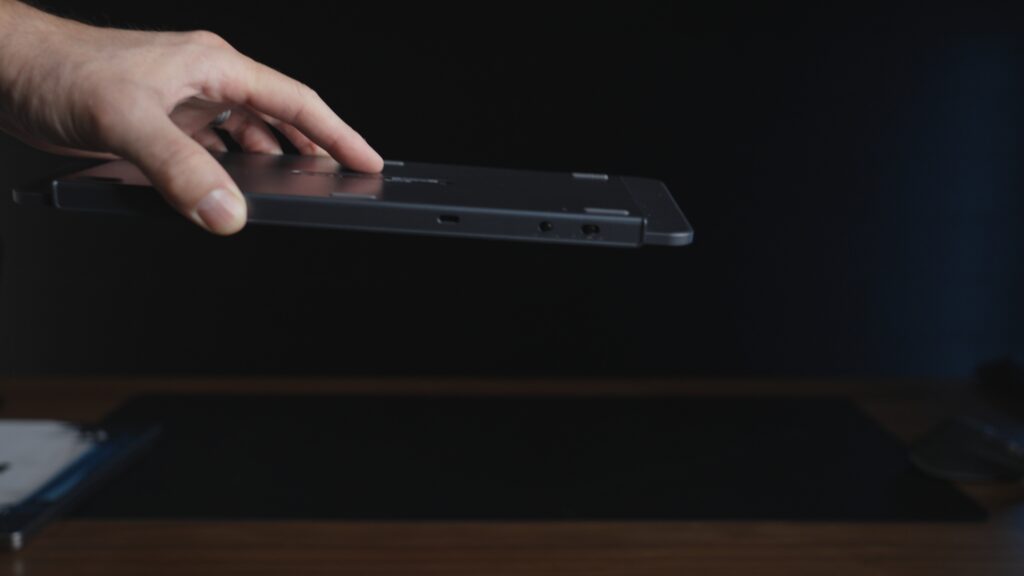
Traveling with the Keychron B1 Pro: Real-World Road Test
This keyboard wasn’t just designed for travel; it was practically engineered to survive the “one-bag” lifestyle. After logging over 20,000 miles with the B1 Pro in my pack—from cramped regional jets to sprawling hotel desks—here is how it actually handles life on the move.
The Pack-Down (TSA & Tight Squeezes)
The slim profile is a game-changer for packing efficiency. I don’t use a dedicated tech pouch for this. Instead, I slide it directly into the laptop compartment of my backpack (I use a Peak Design Travel Backpack), “sandwiched” between the back of my MacBook Pro and the padded wall of the bag.
Because it lacks the bulk of a mechanical board, it adds zero thickness to the pack. I’ve gone through TSA PreCheck dozens of times without ever taking it out, and because it’s so light, I never have that moment of panic where I wonder if my carry-on is overweight.
The “Coffee Shop” Durability Test
I was initially worried about the plastic chassis. In a tight bag, plastic can flex or crack under pressure. However, the B1 Pro has survived being jammed into overhead bins and tossed into the back of Ubers without a scratch.
The Silicone Savior: I typically hate silicone keyboard covers. They usually feel rubbery and cheap. However, with the B1 Pro, the included cover is essential gear. I leave it on whenever the keyboard is in my bag. It acts as a shock absorber for the keycaps, preventing them from snagging on a loose charging cable or getting crushed by a heavy power brick. It also keeps the inevitable “backpack crumbs” out of the scissor switches.
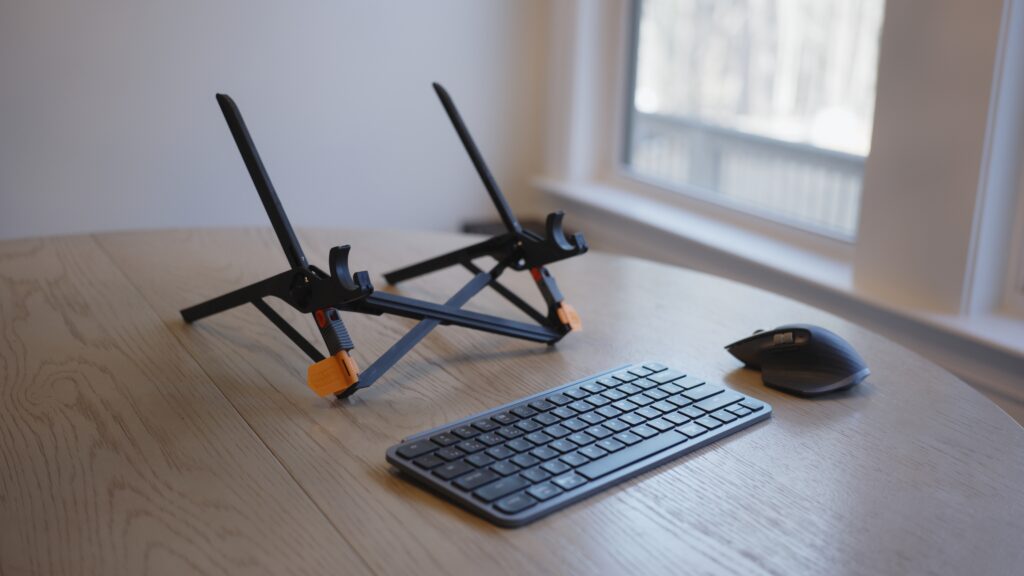
Connectivity in the Wild
One specific “real world” win happened in a crowded Delta Sky Club. Usually, Bluetooth interference in these lounges is a nightmare—dozens of headphones and laptops fighting for signal often causes wireless mice and keyboards to lag or disconnect.
Because the B1 Pro includes the 2.4GHz dongle (which I keep magnetically stored in the dedicated slot on the board), I flipped the switch to “2.4G” and had an instant, hard-wired feel with zero latency. No pairing issues, no lag. Just work.
The Battery Anxiety (Or Lack Thereof)
On a recent three-week trip to Europe, I forgot to charge the B1 Pro before leaving. I realized this mid-flight. In the past, this would mean hunting for a Micro-USB cable. With the B1 Pro, I didn’t even stress. The battery indicator was still green, and it lasted the entire trip—heavy writing sessions every day—without needing a single top-up. The claim of 1,200 hours isn’t just marketing math; it translates to “charge it once a season.”
Who is this for?
- The Roost User: If you use a laptop stand, you need an external keyboard. This is the most portable option that doesn’t sacrifice layout size.
- The Mac Power User: It comes with Mac keycaps installed and fully supports macOS function keys out of the box.
- The Digital Nomad: The battery life and weight make it the undisputed king of travel efficiency.
Who is this NOT for?
- The RGB Lover: There is no backlight. If you work in pitch black, you can’t see the keys.
- The Mechanical Purist: If you need the “thock” and travel of a mechanical switch, look at the NuPhy Air75 (though it is much thicker).
Comparison: B1 Pro vs. The Competition
What the B1 Pro does better
- Customization: Neither Apple nor Logitech allows you to reflash the firmware or remap keys at a hardware level. The B1 Pro lets you build a workflow that is entirely yours.
- Connectivity: Including a 2.4GHz dongle at this price point is unheard of. It ensures a stable connection even in crowded coffee shops where Bluetooth interference is high.
- Price: You can buy two B1 Pros for the price of one Apple or Logitech board.
What it does NOT do as well
- Premium Feel: The Apple Magic Keyboard feels like a solid slab of aluminum. The B1 Pro feels like a tool. It lacks the luxury finish.
- Backlighting: The Logitech MX Keys Mini has excellent smart backlighting. The B1 Pro has none.
FAQ
Q: Does it work with Mac keys right out of the box? A: Yes. It ships with the Mac layout (Cmd/Opt) installed. It also includes Windows keycaps in the box if you need to swap them.
Q: Can I use it while it’s charging? A: Yes, it works as a fully wired USB-C keyboard while charging.
Q: Is the ZMK software hard to use? A: Not at all. It is web-based (Keychron Launcher), so you don’t need to install suspicious software on your work laptop. You just drag and drop keys to remap them.
Final Verdict: The Smart Traveler’s Choice
The Keychron B1 Pro is the rational choice for travelers. It strips away the vanity features—RGB lights, heavy aluminum cases—and doubles down on what actually matters: battery life, portability, and programmability.
It pairs perfectly with the Roost stand to create a pop-up office that fits in a slim backpack. It allows you to type silently in a library, remap your shortcuts for high-speed editing, and never worry about charging it during a month-long trip.
At $40, it isn’t just a bargain; it is a steal.
Buy it once, customize it, and get to work.
Get the Gear
- Check Price on Amazon: Keychron B1 Pro